ServiceNow & Microsoft Intune's Service Graph Connector integration returning blank Assigned To values
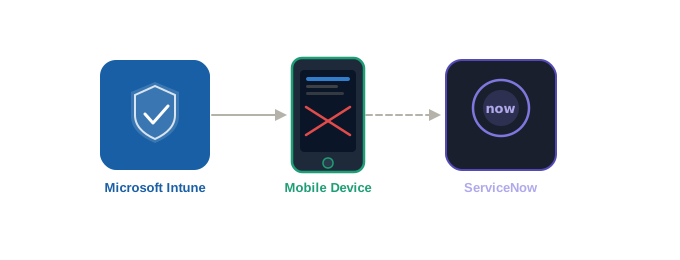
We recently ran into a frustrating issue with the ServiceNow Service Graph Connector for Microsoft Intune. Devices were syncing into the CMDB just fine, but the Assigned To field on cmdb_ci_handheld_computing records was coming up empty every time.
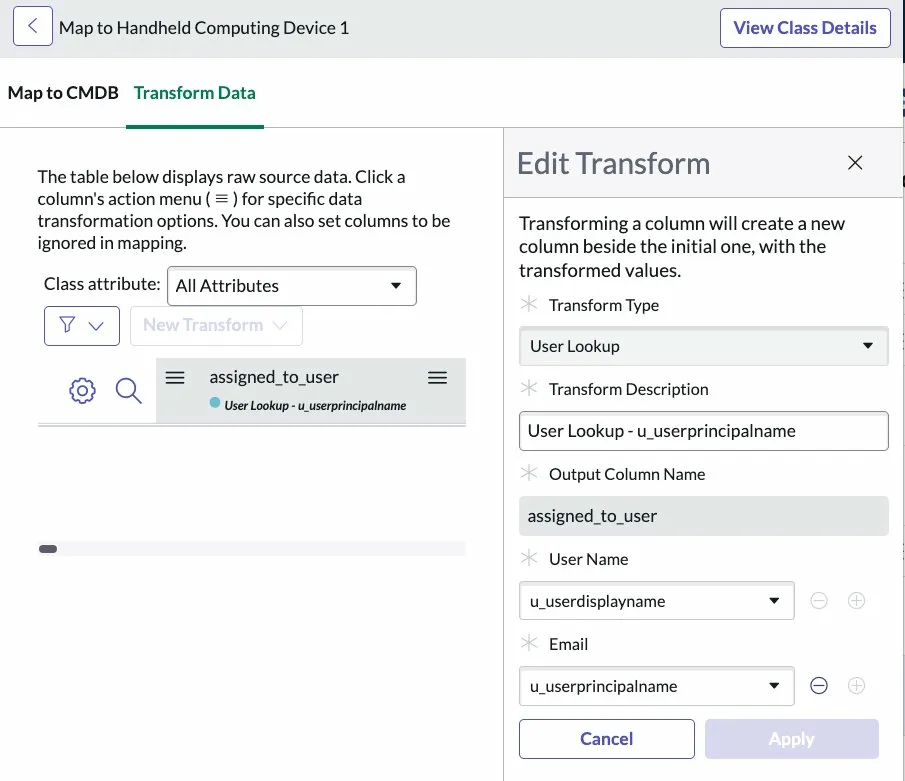
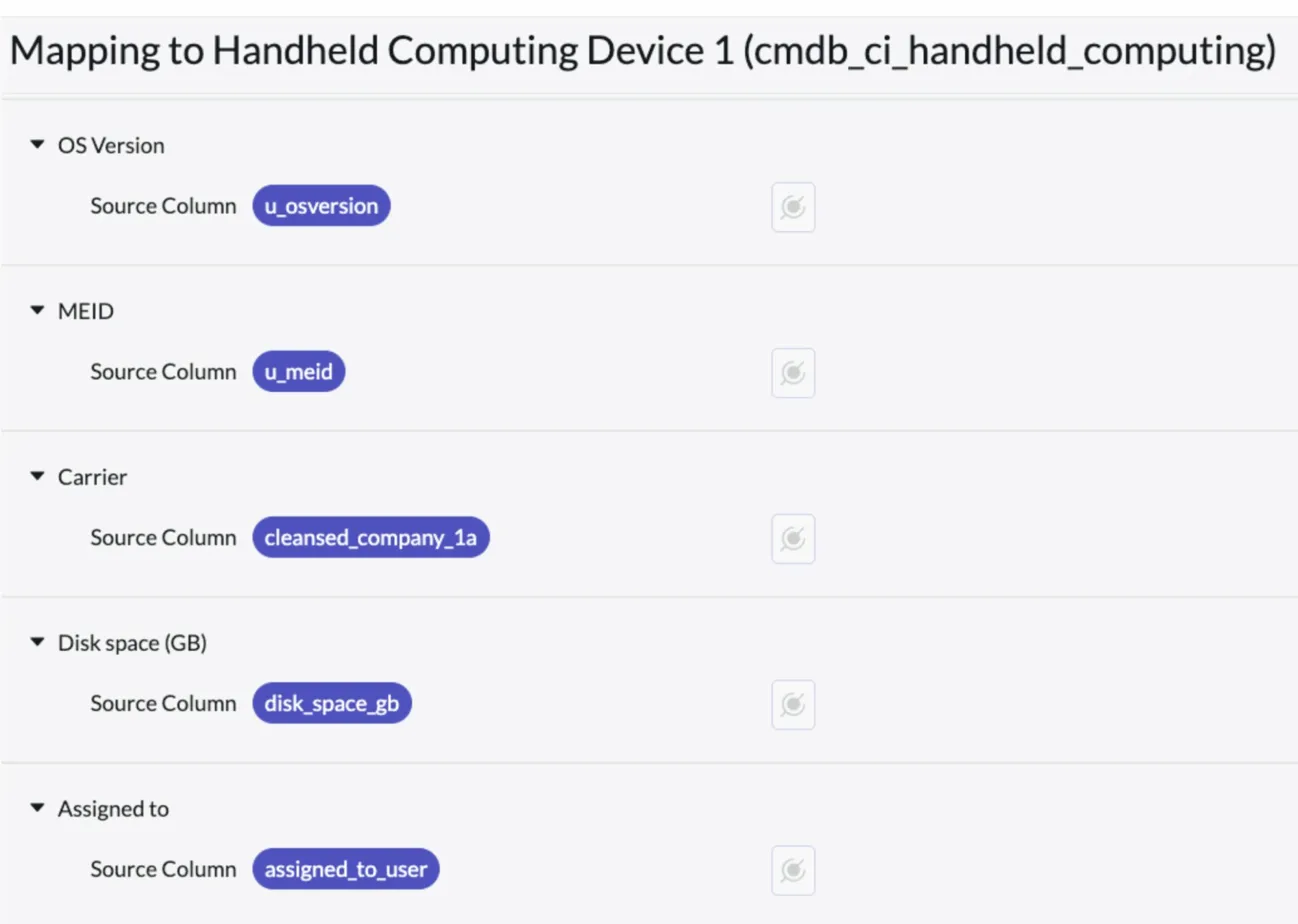
The first instinct is to check the mapping. In Integration Hub ETL ($cmdb_integration_studio.do), the Assigned To field was configured correctly: a User Lookup transform using u_userdisplayname as the User Name and u_userprincipalname as the Email, outputting to assigned_to_user. Nothing wrong there.
So the problem must have been upstream. We opened Workflow Studio and looked at the mobiledevices Data Stream action. The Script Parser step (step 4) showed exactly what was being pulled from the Intune API response:
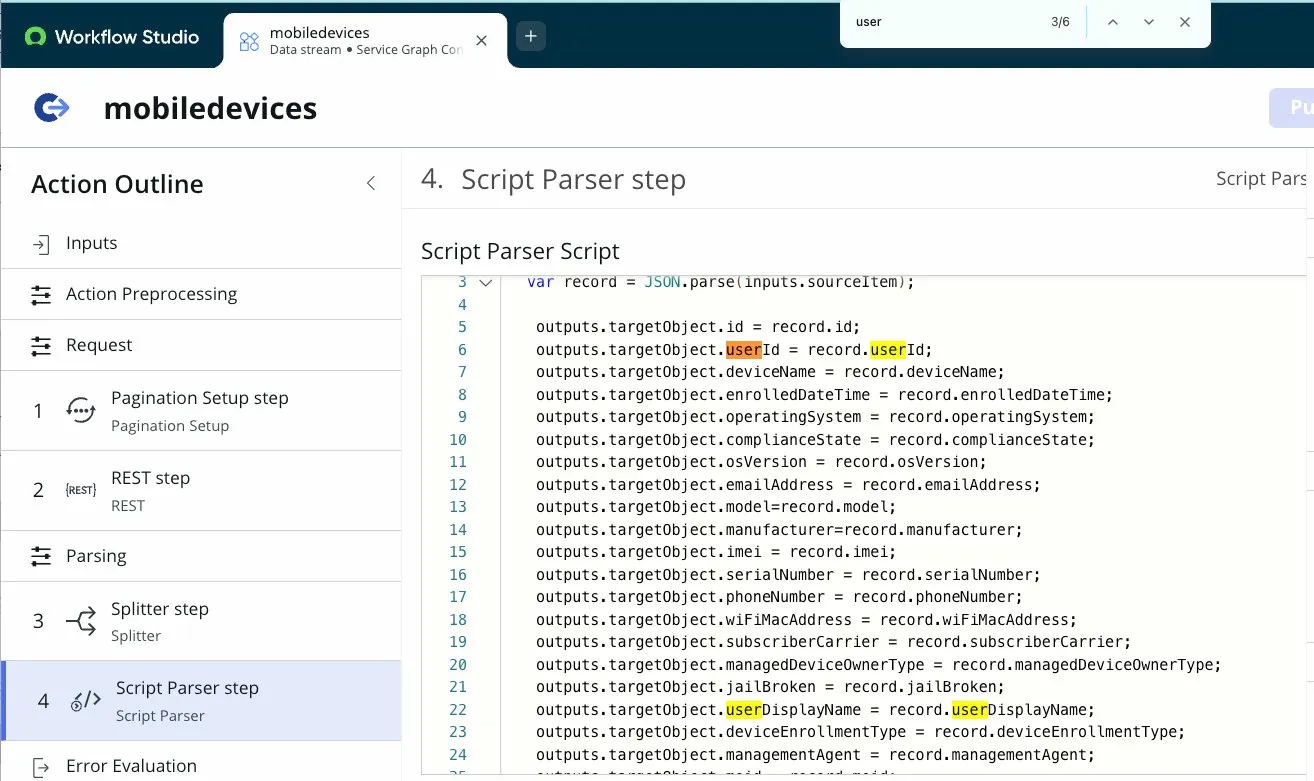
outputs.targetObject.userId = record.userId;
outputs.targetObject.userDisplayName = record.userDisplayName;
outputs.targetObject.userPrincipalName = record.userPrincipalName;
Worth noting: the Service Graph Connector documentation doesn't explicitly tell you which fields are being used in the mapping. Knowing to look here, and knowing what to look for, comes from understanding how the ETL pipeline works end to end. The connector is a black box until you know where to crack it open.
When we checked the import set table (sn_intune_integrat_devices), the picture became clear. The userId field was populating, the Microsoft GUID for the user was coming through, but userDisplayName and userPrincipalName were both blank. This is a pattern we've seen before in ServiceNow: an account can resolve a record's GUID because it has basic read access to the object, but can't retrieve dot-walked attributes because it lacks permission on the related resource. In other words, the ID comes through; the human-readable fields don't.
Our hypothesis was an OAuth permissions gap. When we checked the Microsoft Graph API documentation for the managed device endpoint, it only lists two required permissions:
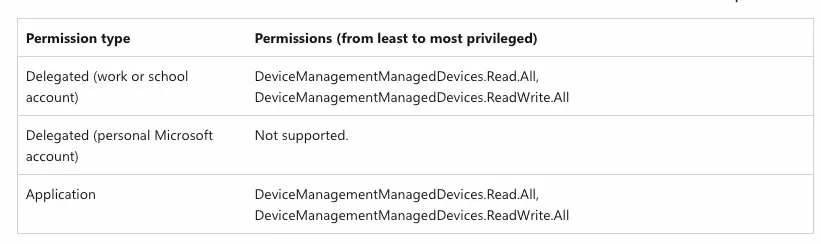
DeviceManagementManagedDevices.Read.AllDeviceManagementManagedDevices.ReadWrite.All
No mention of user permissions. If you stop there, you'd think you were covered. But the ServiceNow documentation for configuring the Intune Service Graph Connector specifies a third permission that the App Registration needs:
DeviceManagementManagedDevices.Read.All(Application)DeviceManagementApps.Read.All(Application)User.Read.All(Application)
That last one was missing. Without User.Read.All, the Graph API returns the device record with the user's object ID intact but won't expand any user attributes. No error, no warning, just silently empty fields.
Once we added User.Read.All to the App Registration in the Microsoft portal and triggered a fresh sync, userDisplayName and userPrincipalName started populating in the import set table, the User Lookup transform fired correctly, and Assigned To resolved properly on the CMDB records. Problem solved.
If you're seeing the same thing, devices syncing but Assigned To is still blank, skip straight to your Azure App Registration and verify all three permissions are present. The Microsoft docs alone won't get you there.